
Mollie POS in campsite software: terminal at reception
Mollie POS in recreation park software: card payments at reception linked to invoices, iPad preview and daily payment reports without double entry.

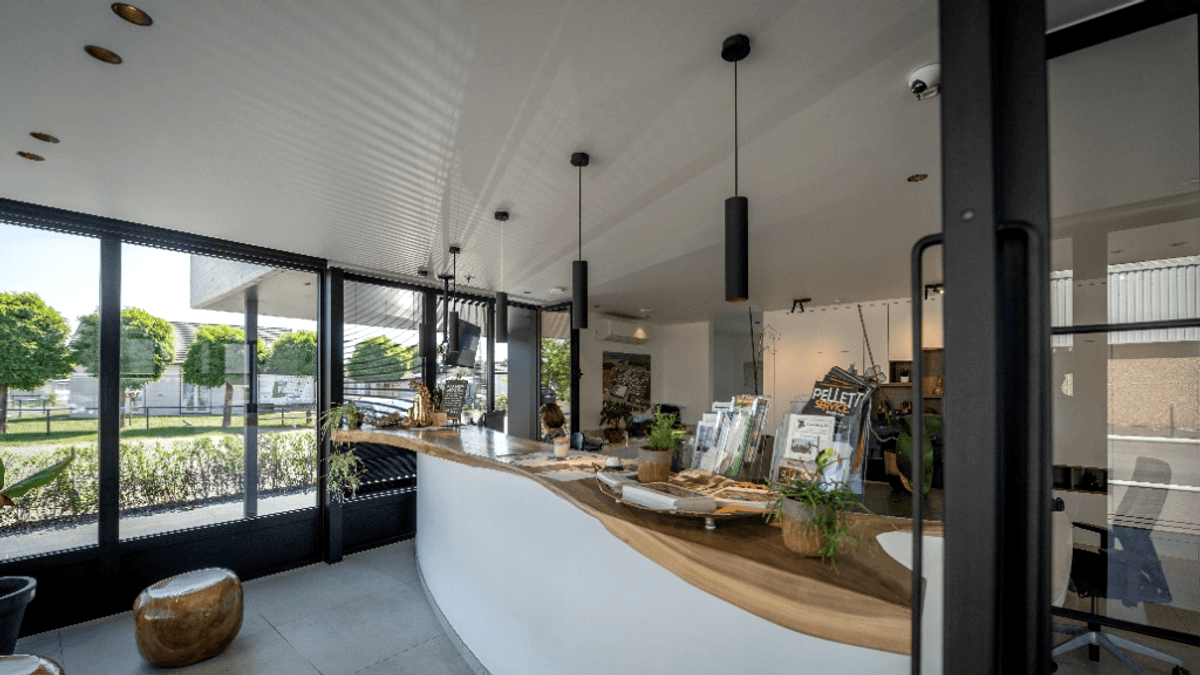
Mollie POS is card payment via a terminal at reception: the guest pays by card and the amount lands on the invoice in Tillor, not in a separate Mollie report you reconcile at night.
On a busy reception desk, card payments belong in campsite software on the invoice itself - not on a terminal screen you match up in the evening. The guest pays by card, you note the amount separately, and someone has to reconcile Mollie settlements with invoices and accounting. Every extra step is a chance for wrong amounts, forgotten daily receipts or disputes about what was actually paid.
Tillor connects Mollie POS directly to your invoice flow. One system from outstanding balance to payment report - without spreadsheets on the side.
💳 Card payments on your invoice, not beside it
Mollie POS terminal payments land on the invoice directly. Balance, payment report, and accounting stay in sync without a separate Mollie screen.
Copy link to this sectionPay an invoice via terminal - from Tillor
For a booked invoice with an outstanding balance:
- Choose Create payment on the invoice.
- Payment method - choose Terminal to send to the PIN terminal at reception. Other options: Internal transfer, Cash or Bank transfer.
- Terminal - select the Mollie terminal at your desk. Tillor only shows terminals that are currently active. If you have one, it's pre-selected.
- Amount - enter any amount or use the percentage buttons (25%, 50%, 75%, 100%) to quickly fill in part of the outstanding balance. Useful for deposits or when the guest wants to split between cash and card.
After Execute payment, Tillor shows real-time status while the terminal waits for PIN, card or contactless payment. After a successful payment, the outstanding balance updates automatically - just like online payments via iDEAL or Bancontact.
Copy link to this sectioniPad preview before and during payment
When a terminal payment starts, Tillor automatically sends the invoice PDF to the iPad at reception. Guest and staff can review lines, amount and VAT together while the terminal is ready.
- The preview appears as soon as the terminal payment is created - no extra action needed.
- After payment, the preview clears automatically; you can also use Preview on iPad manually from invoice actions.
- Ideal on busy weekends: fewer "did I pay the right amount?" moments at the counter.
The reception experience matches what you already have digitally in Tillor.
When Language preference is set on the customer profile, the iPad shows the invoice PDF in that language - useful for German, French or English-speaking guests at a Dutch reception desk. The same language carries through to Mollie online payments and notifications when you send a link afterwards.
Copy link to this sectionDaily receipts in payment reports - ready for accounting
Terminal payments belong in your daily reconciliation, not in a separate Mollie overview you have to interpret by hand. Tillor collects Mollie payments per calendar day in payment reports:
- Payments with an invoice link appear with invoice number and customer reference.
- Standalone card payments without a direct invoice - typical daily receipts at reception - are grouped by terminal profile, so your accountant knows which counter represents which amount.
- Mollie settlement, bank fees and payout are included in the same report.
With the accounting integration, those reports flow automatically to your accounting package - the same chain as your booked invoices. No more double entry to retype Mollie settlements.
Copy link to this sectionHow it fits on site
Camping Vlasaard combines a Mollie terminal at reception with iPad preview, reservations and accounting export. Check-in, payment and accounting stay in the same system - useful when peak season starts.
Card payments belong in your invoicing, not beside it.
Tillor is an exclusive Mollie Tech Partner. We supply the terminals and set up Mollie Connect, the device, and the invoice link with you. Pin questions at the desk come to us. We do not connect other terminals (Worldline, CCV, …).
Want to connect Mollie POS to invoices and payment reports on your site? Request a demo and we will show the full reception flow tailored to your park.
The Payments series
More from the blog

✨ Camping Vlasaard chose recreation park software: from paper to one PMS
How Vlasaard NV chose campsite management software to replace paper, spreadsheets and separate tools with one PMS for KC80 barriers, LoRa meters, ICY electricity and Mollie payments.
 Niels WarrensCustomer story
Prepaid shower system for campsites: shower and door with one NFC tag
A prepaid shower system for your campsite: shower and open the door with an NFC wristband or key fob, start washing machines with a QR code.
Niels WarrensProduct
Custom fields in campsite software: extra data per guest or pitch
Record what your park needs to track, from the trailer's licence plate to the number of the electricity cabinet, with custom fields in your campsite management software.
Niels WarrensProduct