
Multilingual booking system: guest communication in four languages
A booking system for campsites with international guests: Dutch, French, German and English notifications, invoice pages and Mollie checkout from one language preference.

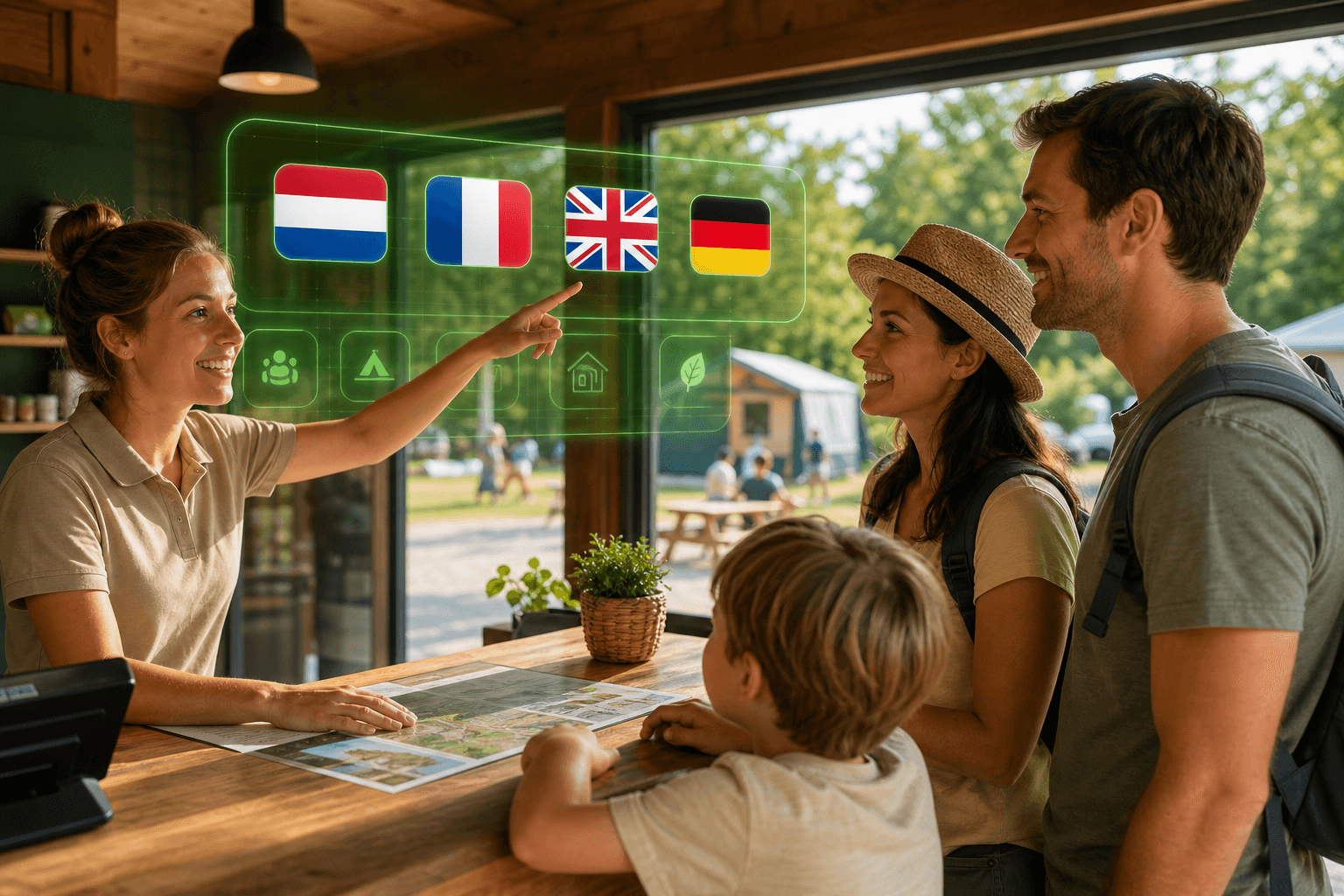
Campsites with international guests hear from people who expect Dutch, French, German or English on emails and payment pages. Invoices still go out in one language only, with iDEAL or Bancontact labels that feel foreign. Staff paste translations into spreadsheets; guests call because they do not understand the email, or simply do not pay.
Set Language preference once on the customer profile. Tillor then sends notifications, the public invoice page and Mollie checkout in Dutch, English, German or French automatically.
🌍 One language per guest, automatically
Set Language preference on the customer profile. Notifications, invoice emails, the public invoice page and Mollie checkout follow that choice. Guests see familiar payment methods in their language - less confusion, faster payment.
Copy link to this sectionOn-site scenarios
German seasonal guest, Dutch reception. You book the invoice in Dutch for your team. The customer profile is set to Deutsch. Send notification arrives in German; the payment link opens a German invoice page with buttons guests recognise. Online payment runs through Mollie in the matching checkout language.
French guest after the weekend. You send Send reminder after checkout. The reminder is in French; the page shows the outstanding balance and Pay invoice online in the same language. Guests who prefer Bancontact or card see labels that fit Belgium or France without hunting for a language switch.
English guest, Dutch organisation. Your park runs internally in Dutch. The guest gets English emails, an English public invoice page and a Mollie flow suited to international card payments. On the invoice PDF, payment instructions stay in English when the customer language differs from the organisation language.
Mixed park, one team. Staff work in one Tillor screen. You set each guest's language once; no one manually pastes translations into every email or link.
Copy link to this sectionBenefits for your team and revenue
- Fewer support calls about unclear emails or payment pages.
- Better conversion on online payments: guests recognise methods and buttons faster in their own language (Mollie online).
- Consistent chain: same language in notification, link, page and checkout - no Dutch email with an English payment site.
- Accounting stays in your language: internal screens and reports follow the organisation language; only guest communication switches.
- Four languages out of the box: nl, en, de, fr - no separate translation tool beside Tillor.
Copy link to this sectionLanguage preference on the customer profile
Under Customers > customer you find Language preference. Choose Dutch, English, German, French, or leave empty to use the organisation default.
That choice drives:
- Email and SMS copy for Send notification, Send reminder and payment confirmations.
- The personal invoice URL you share or that notifications include automatically.
- Copy on the public invoice page (greeting, buttons, status).
- Payment sections on the invoice PDF when the customer language differs from the language you used to book the invoice.
Tip: set the language at check-in or booking so the first invoice is already correct.
Copy link to this sectionNotifications in the right language
Tillor notifications are more than a fixed Dutch template. For customer-facing messages Tillor uses the customer profile language:
- Email with invoice, payment link or reminder.
- SMS when you use a phone number (where applicable Tillor also considers the country code for language).
- Supported channels and templates are documented under Notifications.
Your team triggers the same actions: Send notification or Send reminder. Tillor picks the right translation. No separate FR or DE Word version of every invoice.
Copy link to this sectionOnline payment: familiar methods, familiar language
With Mollie online payments, checkout follows the customer language (and country where possible). That means:
- iDEAL | Wero and bank labels Dutch guests expect.
- Bancontact and card for Belgian and other guests, in a checkout that matches their language.
- Fewer drop-offs at the last step: guests don't have to guess what "Pay now" means.
After payment, the confirmation email is in the customer language too. Balance, payment reports and webhooks stay the same for your back office.
Copy link to this sectionCounter POS and iPad PDF
With Mollie POS at reception, Tillor shows the invoice PDF on iPad in the customer language when set. Guest and staff read the same lines and totals in a language the guest understands, while the terminal payment still lands on the invoice.
Copy link to this sectionSetup
- Go to Customers and open the profile (or create a new customer).
- Set Language preference to nl, en, de or fr.
- Book and send invoices as usual; notifications and links follow automatically.
For online payment: install Mollie from Settings (see Mollie online payments). Checkout language needs no extra Mollie setting in Tillor.
More on channels and templates: Notifications. Go deeper: Email, SMS and push.
Want multilingual guest communication on your park? Request a demo and we'll show language preference, notifications and Mollie checkout on one customer profile.
The Guest communication series
- 1Multilingual booking system: guest communication in four languages
- 2Notifications in recreation park software: email, SMS, post and push
- 3Telephony in campsite software: Voys connected to Tillor
- 4Inbox in campsite software: WhatsApp, chat and social in one place
- 5Tillie in campsite software: AI assistant for the Tillor inbox
More from the blog

✨ Camping Vlasaard chose recreation park software: from paper to one PMS
How Vlasaard NV chose campsite management software to replace paper, spreadsheets and separate tools with one PMS for KC80 barriers, LoRa meters, ICY electricity and Mollie payments.
 Niels WarrensCustomer story
Prepaid shower system for campsites: shower and door with one NFC tag
A prepaid shower system for your campsite: shower and open the door with an NFC wristband or key fob, start washing machines with a QR code.
Niels WarrensProduct
Custom fields in campsite software: extra data per guest or pitch
Record what your park needs to track, from the trailer's licence plate to the number of the electricity cabinet, with custom fields in your campsite management software.
Niels WarrensProduct