
Telephony in campsite software: Voys connected to Tillor
Telephony in recreation park software: Voys connected to Tillor with live caller ID, meter alarms on screen, barrier dial codes and call recordings with AI summary.

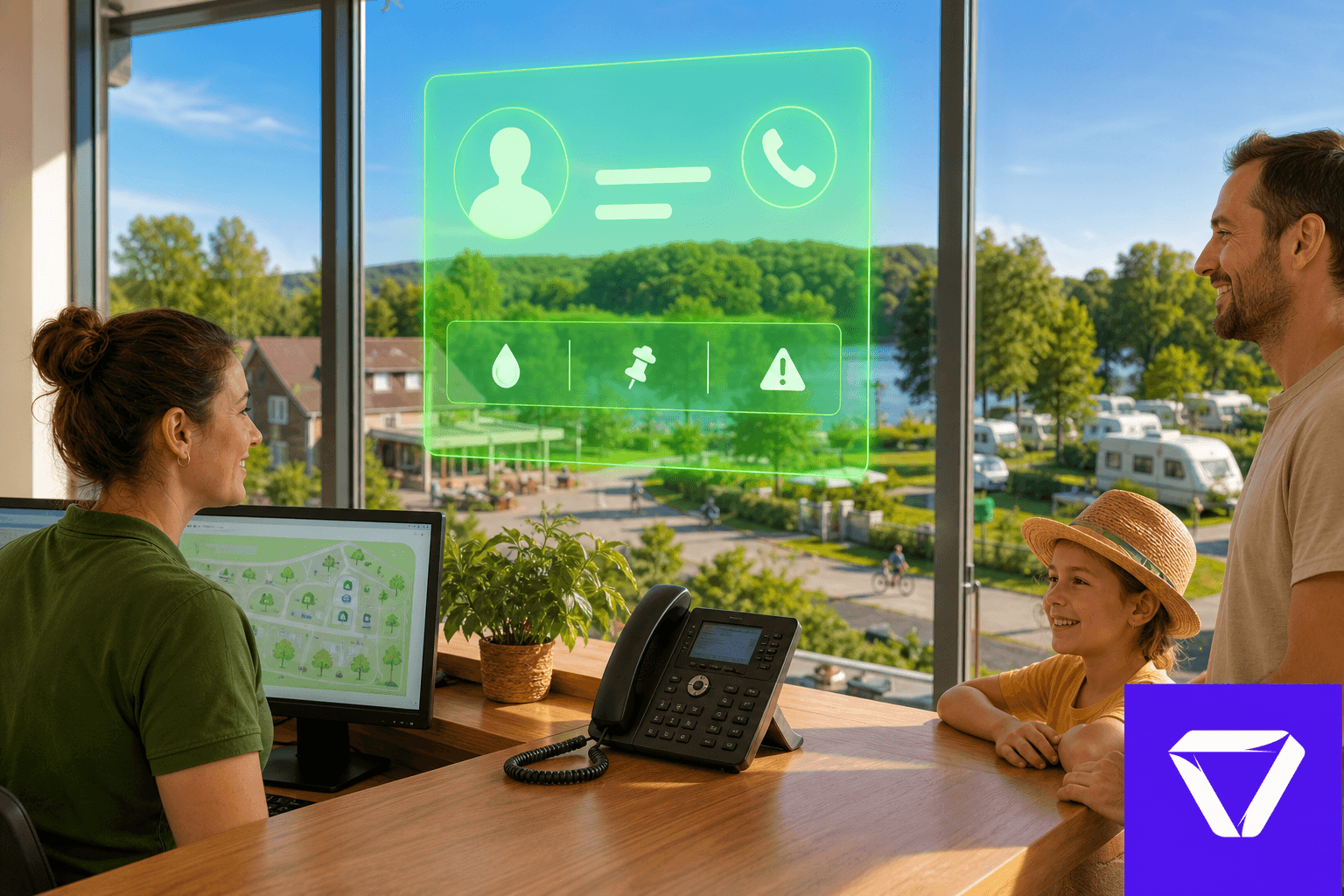
Voys is an internet telephony provider (VoIP): desk phones run over the network, and Tillor links incoming calls to the customer file so you know who is calling before you answer.
The phone rings at reception. Meanwhile someone searches a spreadsheet for who owns that number, whether there are open meter alarms, or if the guest has a warning on file.
Telephony belongs in your recreation park software alongside reservations and meters. Calls link to customers, caller info shows up live in Tillor and on your VoIP handsets, and the Voys webhook URLs are ready from one screen.
📞 Know who is calling before you answer
Voys in Tillor shows live caller ID, profile context, and open alarms. Recordings and AI summaries land under Communication > Phone calls.
Copy link to this sectionScenarios where it makes a difference
Meter alarm while the guest is on the line. A seasonal guest reports a sudden spike in water use. On the active calls panel your team immediately sees whether an open alarm already exists on that customer's meters, alongside warnings or blocks on the file. No second screen to open while you are on the call.
Supplier or night access. A regular supplier calls the main number and enters a PIN in the Voys call plan. If the code is valid within the configured time window, Tillor opens the barrier with the same checks as NFC or QR. No extra pass to hand out for every delivery.
Unknown number, still recognisable. The number is not on a customer profile yet, but Tillor shows previous calls from that number from the first repeat. When the same number calls about the same chalet a few times, reception often knows who is probably calling before you create the record.
Handover between shifts. A colleague adds a short call note during the conversation. After the call, transcription and AI summary sit under Communication > Phone calls, linked to the customer profile. The next shift reads what was agreed without listening to the full recording again.
Directions and contact details in one SMS. An international caller asks how to reach the site. From the active call panel you send organisation details by SMS in the language Tillor detects from the number. The link includes address, contact details, and navigation to Waze, Google Maps, or Apple Maps.
Copy link to this sectionAdvantages on one site
- One customer view alongside reservations, occupations, meters, and access control. Telephony is no longer a separate island.
- Faster reception because context appears as soon as Voys reports the call, not after manual lookup.
- Fewer mistakes with guests who have a warning, block, or VIP status: that stands out before you proceed.
- Phone-based access where a physical pass is awkward, using the same whitelist and time-window logic as other access methods.
- Better follow-up through call history, recordings, transcription, and summary, all linked once the number is on the profile.
Copy link to this sectionSee who is calling live
When Voys reports a call, the active calls panel appears at the bottom right (on mobile via the phone icon). You see who is calling, the direction (inbound or outbound), and the state: ringing, in progress, or ended.
If there is a customer behind the number, you immediately see what matters: warnings or blocks, active meter alarms on water or electricity meters, and pinned notes that are still open. During an active call you can keep a call note or start a reservation straight from the panel.
Copy link to this sectionThe same name on desk phones
Through the XML phonebook and caller name webhook, Voys pulls names from Tillor before you answer. Configure both URLs in your Voys call plan.
Handsets show a name, not just digits. If the caller is not in Tillor yet, Voys can show a network name with a maybe marker so you know it did not come from your customer database.
Copy link to this sectionOpen the barrier from your call plan
For gates and barriers, Tillor provides an access code URL. In Voys you link it to a call plan step with a PIN ({code}). When the code is valid, Tillor opens the barrier. Tillor responds with ACK or NAK so Voys knows whether access succeeded.
That uses the same dial-code logic as other access methods: time window, whitelist where configured, and linkage to the correct barrier on site.
Copy link to this sectionRecordings, transcription, and AI summary
If call recording is enabled in Voys, Tillor fetches those recordings (with client_id in the app settings) and you can play them back under Communication > Phone calls. Open Transcription on a call and go to the Recording tab.
When a recording is available, Tillor can automatically generate a transcription and a summary after the call. Both live on the Transcription and Summary tabs in Call details. On Transcription, the highlighted line follows playback; click a word to jump there. Earlier versions stay under Previous transcriptions and Previous summaries. Useful for follow-up, disputes, or training without replaying hours of audio. From the call you can create a task if someone needs to call back later.
Remember GDPR: tell callers that calls are recorded if you use recording.
Copy link to this sectionCalls and follow-up
All calls sit under Communication > Phone calls. Add a number to a profile later? Tillor links older calls to that record too.
Telephony stays traceable alongside email and other communication in the same platform.
Copy link to this sectionOn a site like Vlasaard
Camping Vlasaard uses Voys alongside reservations, KC80 access control, ICY electricity meters, LoRa water, and invoicing. When a seasonal guest calls, reception sees the profile, open follow-ups, and meter alarms while barriers and NFC passes keep running on Tillor.
Copy link to this sectionWhat it looks like in Tillor
Installation, URLs and Voys fields are documented step by step in the Voys docs. Once call notifications are active, Tillor records every call and links it automatically when the number matches a customer or contact.
Already on Voys? Request a demo and we will walk through the setup for your site.
The Guest communication series
- 1Multilingual booking system: guest communication in four languages
- 2Notifications in recreation park software: email, SMS, post and push
- 3Telephony in campsite software: Voys connected to Tillor
- 4Inbox in campsite software: WhatsApp, chat and social in one place
- 5Tillie in campsite software: AI assistant for the Tillor inbox
More from the blog

✨ Camping Vlasaard chose recreation park software: from paper to one PMS
How Vlasaard NV chose campsite management software to replace paper, spreadsheets and separate tools with one PMS for KC80 barriers, LoRa meters, ICY electricity and Mollie payments.
 Niels WarrensCustomer story
Prepaid shower system for campsites: shower and door with one NFC tag
A prepaid shower system for your campsite: shower and open the door with an NFC wristband or key fob, start washing machines with a QR code.
Niels WarrensProduct
Custom fields in campsite software: extra data per guest or pitch
Record what your park needs to track, from the trailer's licence plate to the number of the electricity cabinet, with custom fields in your campsite management software.
Niels WarrensProduct