
Automations in campsite management software: when this, do that
Build your own flows in campsite management software that create tasks, send payment reminders and keep your other systems up to date, without custom code.

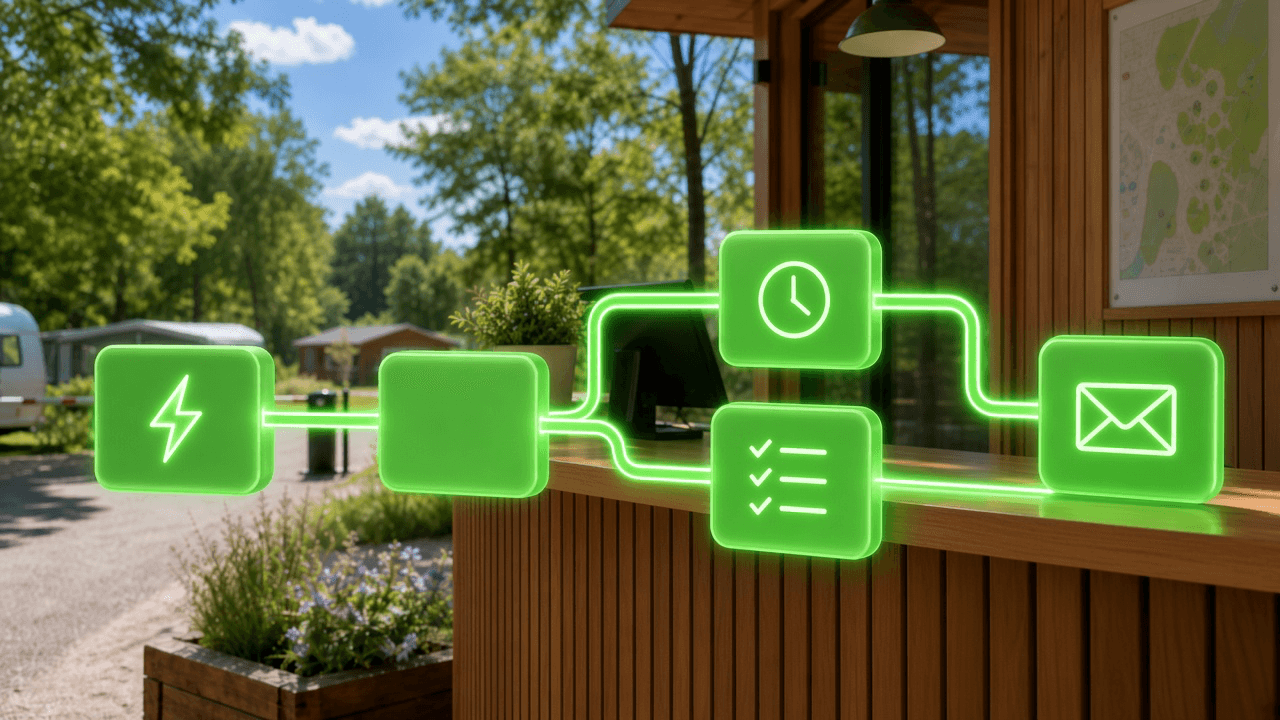
A guest leaves the mobile home on pitch 14. Someone now has to clean it, check the inventory and make sure the internet and TV still work. An invoice is two weeks overdue and nobody has sent a reminder. A new reservation also needs to end up in another system. Everyone knows these routines, but they only work when someone remembers them. Good campsite management software takes that off your plate: it does the work itself, the same way every time.
With Automations in Tillor you draw a routine once as a flow: when this happens, do that. From then on Tillor runs it, including on a Saturday evening in August.
🔁 Set it up once, then Tillor does it
An automation starts on something that happens in Tillor or at a fixed time, then creates tasks, sends reminders or passes data on. With Test you walk through the flow first, without anything being sent, created or changed.
Copy link to this sectionDraw a flow instead of remembering a rule
You build an automation on a canvas. Each step is a block: you drag it from the list, drop it on a line between two steps and Tillor connects it. A branch you no longer need, you delete; Ctrl+Z brings it back. Tidy up puts the blocks back in order.
You don't have to start from an empty screen. There are starting points such as Check terrain after departure, Follow up unpaid invoices and Push reservations to another system. You can change every step in them afterwards.
In titles and messages you use variables between braces. Clean {occupation.terrain.name} becomes "Clean pitch 14". At every step Tillor shows which data is available at that point: the event itself, the customer, pitch or invoice attached to it, and whatever earlier steps produced.
Copy link to this sectionWhat starts an automation
The first step is called When this happens. Almost anything that happens in Tillor can start a flow: a reservation being created, a stay (an occupation in Tillor) ending, an invoice being paid, a task changing status.
Some things are not a moment but a state. Nobody clicks an invoice into "overdue"; it simply happens because the date has passed. That is why a flow can also start on Invoice is overdue: a booked invoice that is still outstanding and past its due date. Or on Every day at a time, or on a fixed rhythm such as every Monday at 08:00. Tillor checks every 15 minutes whether something needs to start, so a flow like that can begin a few minutes late.
With Only when you put a filter on the start, for example only for pitches of the mobile home type. With Run once per record the flow starts at most once per invoice or reservation, however often it changes.
Copy link to this sectionDecide, wait and look again
After the start, the flow can split. If / else looks at the data: is the reservation booked, is the invoice still unpaid? You choose whether all conditions must match or whether one is enough. With Switch each value gets its own branch, such as a different task for a rental caravan than for a guest's own pitch. Everything else goes to the default branch.
A Delay waits for a fixed time, or until a date from the event: one day after the due date, a week before arrival. After the wait, Tillor reads the data again. If the invoice was paid in the meantime, the next step sees that and no reminder goes out.
Copy link to this sectionWhat an automation does
Create task lines up work for your team. Tillor fills the title and description with variables. You add subtasks, one per line, and put the task straight onto the right board and column. Priority, labels, who picks it up and the deadline are set per step. With Also assign whoever caused the event, the colleague who ended the stay gets the task, for example. The task is linked to the customer, pitch, reservation, invoice or meter it is about. How your team works with those tasks afterwards is covered in task management in campsite software. With Set task status a flow can also close a task again.
Send payment reminder and Send invoice do the same as the buttons on the invoice, except nobody has to press them. Channels and the delivery overview are covered in the post on notifications.
Does another program need to know? Send webhook sends an automatic signal to your own system, with exactly the data you put together. The message is signed, so the receiver knows it came from Tillor, and it is retried if it does not arrive, just like the other webhooks. An API request goes further: it calls the Tillor API (you pick from the list of what Tillor lets you read and change) or any https address. Later steps can use the answer. If you build integrations yourself, the background is in HTTP API.
Copy link to this sectionFour flows from the campsite
Check-up after departure. When a stay in a mobile home ends, the flow first checks whether that pitch still has an open check-up task. If it does, that task's priority goes up one step instead of a second task being added. If not, Tillor creates Check-up {occupation.terrain.name} with subtasks for cleaning, inventory, internet and TV, due a week later and assigned to whoever ended the stay.
Unpaid invoices. As soon as an invoice is overdue, a payment reminder goes out. A week later the flow looks again. Still unpaid? Then a second reminder follows, and two weeks after that a high priority task to call the customer.
Preparing for arrival. On a new reservation, the flow waits until a week before arrival. If the reservation is still booked then, a task appears to get the pitch ready. On the day of arrival the flow checks whether the guest has already checked in: if so, a welcome task follows, otherwise a task to confirm the arrival.
Passing reservations on. Every new reservation goes as a webhook to your own system, with arrival, departure, number of adults and the customer's details. If the message does not arrive, the flow creates a task so someone looks into it.
Copy link to this sectionTry it safely, and see afterwards what happened
With Test you walk through the flow with sample data, by default the data of the most recent real run. Delays are skipped and nothing is sent, created or changed. For steps that can succeed or fail, you choose which outcome you want to check.
Under Runs you see for each run what every step did: which branch the flow took, which condition matched and with what value, what was sent and until when a flow is still waiting. If you pause an automation, the runs still waiting in a delay stop as well.
An automation can do a lot, so only administrators can view and manage them. The steps do not run under your name but as your organization's Workflow user. The task history therefore shows that the flow did it, not the administrator who built it. If that colleague leaves, the flow keeps working. The Workflow user cannot touch anything outside your organization, and a flow cannot change other flows. Custom addresses must start with https, and Tillor refuses internal addresses. Keys for external systems are stored encrypted.
Copy link to this sectionMissing a step?
Want to automate something for which there is no step or event yet? Use Request a step in the editor to tell us what you need. We read every request. How automations fit into the wider park management platform is on the overview page.
The full guide, with every step and a worked example, is in the automations documentation.
Want to see which routines at your campsite could run by themselves? Request a demo and we will build your first automation together.
More from the blog

✨ Camping Vlasaard chose recreation park software: from paper to one PMS
How Vlasaard NV chose campsite management software to replace paper, spreadsheets and separate tools with one PMS for KC80 barriers, LoRa meters, ICY electricity and Mollie payments.
 Niels WarrensCustomer story
Prepaid shower system for campsites: shower and door with one NFC tag
A prepaid shower system for your campsite: shower and open the door with an NFC wristband or key fob, start washing machines with a QR code.
Niels WarrensProduct
Custom fields in campsite software: extra data per guest or pitch
Record what your park needs to track, from the trailer's licence plate to the number of the electricity cabinet, with custom fields in your campsite management software.
Niels WarrensProduct